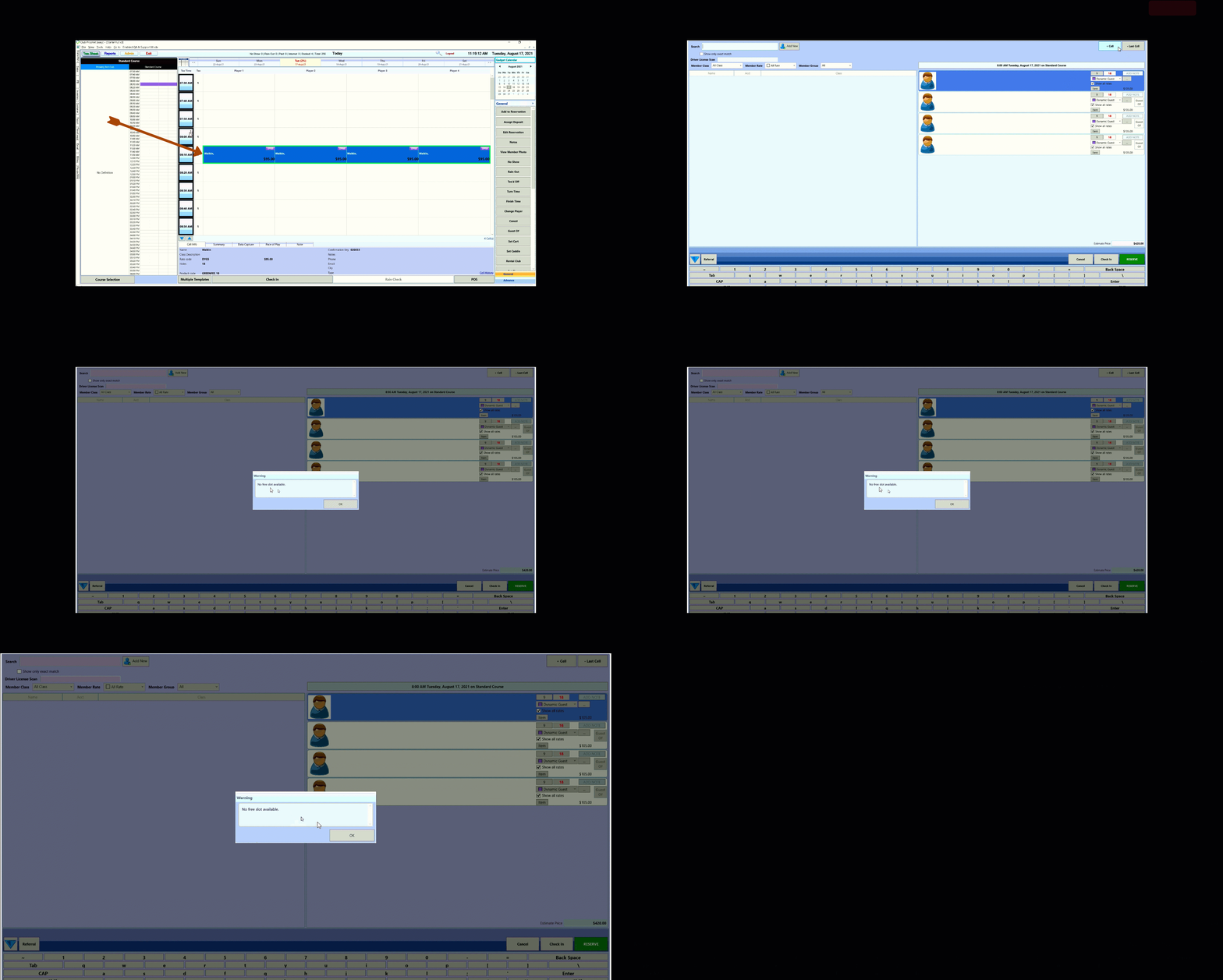
Enhancement: Allow a maximum of four cells to be added with "+ Cell" in the StarterHut reservation interface
With our new + Cell enhancement in Starter Hut’s reservation interface, you can now add a maximum of four cells in the 3.100 release without booking over top of another reservation.
When utilizing the "+ Cell" button in the Starter Hut Reservation Interface, you are able to add any number of players to a reservation. Any number of players greater than four that are added within the Reservation Interface using "+ Cell" will be booked on the next available tee time. We have implemented an option to allow a maximum of four cells to be added using "+ Cell", such that no reservations are booked on the next available tee time.
Allowing a maximum of four cells to be added using "+ Cell" will prevent the facility's employees from booking into the next available tee time.
Shout out to Todd Moon @calgary.ca
To book tee times with the + Cell function
-
Go to Starter Hut.
-
With a tee sheet in place, select a tee time and highlight the four cells to the right.
-
Select the Book a Tee time button. The Reserve Time screen displays.
-
[Enter in the information for each golfer as needed] or you can leave blank for Walk Ins.
-
To add more golfers to this reservation, click the + Cell at the top-right corner of this screen. A new golfer icon displays after the four already selected.
Note: You will be prompted with the message: “No free slot available” IF there is another reservation in the tees time you are trying to add with the + Cell button. You will not be able to add golfers if that time is reserved.
-
When finished, select the Reserve button. The tee time is now reserved with the golfers you selected.